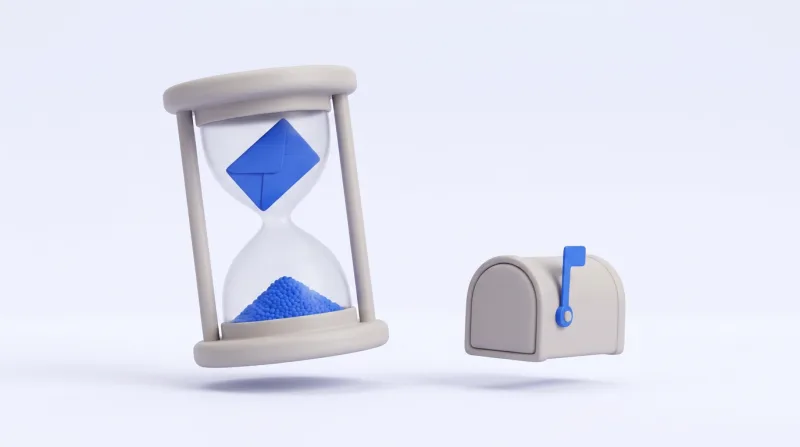
The short answer, and the half that surprises people
5 days. That is the whole of the answer most people arrive for, and it is worth being exact about what it is an answer to: a message is readable for 5 days. The address it landed on does not expire at all, because there is nothing there to expire.
Those are two different things, and running them together produces both of the messages we get about this — “my address stopped working”, which it did not, and “can you keep this one longer”, for which there is no lever to pull.
- A message
- Readable for 5 days from its own timestamp, then gone. Body, headers, preview and any attachments, all at the same moment.
- An address
- No expiry, because no record of it is kept. It is a string. It works the first time you use it and it works a year later.
- A mailbox
- The row that tallies one address is created by the first message that lands on it and removed when the last one leaves. You never create or destroy it yourself.
One window, the same for everybody: free or paid, a public domain or your own. It is not a plan feature and there is no setting anywhere that moves it.
When the clock actually starts
The deadline is worked out once, as the message is delivered, and written into the row beside it. Nothing recomputes it afterwards — no policy is consulted when you read, no plan is looked up, no clock restarts because you opened something.
What it is counted from is the part worth knowing. A message carries its own Date header, written by whatever sent it, and that is the start of the 5 days — but only while it is believable.
- The header is within a day of now. It is taken as it stands. Nearly every message is in this case, and for those the window runs 5 days from the moment the sender pressed send.
- The header is further out than that, either way. It is ignored and the time of arrival is used instead. A sender can write any date it likes, including one in the next century, and a message that never expired would be a message that never left.
- There is no usable header at all. The same: arrival time.
This can only ever cost you hours, and it can only go one way — a message may arrive with slightly less than 5 days left on it, never more. Something that sat in a queue somewhere for twenty hours before reaching us turns up with about four days and four hours to go.
What goes with it, and what stays
When a message reaches its deadline everything belonging to it goes at once. Nothing is held back in another table, and nothing survives in a reduced form — there is no stub, no subject line kept for the record, no thumbnail of a file.
| What | What happens to it | When |
|---|---|---|
| The message | Text, HTML, headers and preview, removed together. | At its deadline |
| Its attachments | Deleted from disk as well as from the database. A file is only ever reachable through the message that carried it, so it cannot outlive it. | With the message |
| The read mark | It is a column on the message rather than a thing of its own. It goes when the row goes. | With the message |
| The mailbox record | The row that counts what is in one address is removed once the last message in it has gone. It exists because mail arrived; it does not outlive the mail. | With the last message |
| The address | Nothing to remove. It was never stored as a thing that can exist or stop existing. | Never |
| An alias that carried mail | Kept. It is the thread that says which service was handed which address, and that is worth more than the row costs. | Never |
| An alias that carried none | Dropped after 5 idle days — and recomputed, identically, the next time the address is used. An alias is derived from the address, not assigned to it, so throwing an unused one away loses nothing. | After 5 idle days |
| Your own domain’s MX record | Yours, in your DNS, untouched by any of this. Retention is about the mail, not about the routing. | Never |
Attachment files are unlinked before their rows are, and the order is deliberate: a crash in between leaves rows whose files have already gone, which the next pass tidies up. The other order would leave files that nothing points at, and nothing would ever come back for them.
Unreadable first, deleted second
Those are two events and they are not the same event. Only the first one is on a schedule you can rely on, and it is the only one you can observe.
Every read here is filtered by the deadline. Listing a mailbox, opening one message, downloading one attachment — all three carry the same condition, and a message past its window matches none of them. There is no interval in which the mail is “technically still there”: the second it expires it is gone from the inbox page, from the API and from the MCP server at once.
What happens afterwards is housekeeping. A sweep comes past and reclaims the row and the files, in bounded batches, at a pace chosen so that clearing a backlog never queues live deliveries behind it. How soon it gets to any particular message changes nothing anybody can see.
- The deadline
- A condition on every query that could return a message. Exact, and identical in the inbox, the API and the MCP server, because all three ask the same question.
- The sweep
- Bounded work that reclaims what is already unreachable. Never something a reader waits on, and never the thing that decides whether you can read something.
Which is why the answer to “is it deleted or only hidden?” is “both, in that order” — and why it makes no difference which of the two has happened by the time you ask.
Reading the deadline off the message
You never have to work the date out yourself. Every message the API hands back carries the deadline it was given at delivery, as an ISO 8601 timestamp in UTC.
$ curl -sG https://grabmail.io/api/v1/mailbox \
  --data-urlencode "address=you@grabmail.io"
Each message in the answer carries both ends of its own window:
{
  "id": "01k4h2v9r7m3d8f0b6n5c1qtzx",
  "from": "no-reply@example.com",
  "subject": "Confirm your email address",
  "date": "2026-09-01T09:00:00+00:00",
  "seen": false,
  "attachments": 0,
  "expires_at": "2026-09-06T09:00:00+00:00"
}
date is what the clock started from and expires_at is where it stops. Subtract one from the other and you get 5 days, every time — which is the quickest way to satisfy yourself that nothing you did in between moved anything.
expires_at- The moment it stops being readable. Absolute, in UTC, with the offset written out in full rather than as a trailing Z.
date- The message’s own timestamp — believed when it is within a day of arrival, quietly replaced by the arrival time when it is not.
Ask for a message that has passed its deadline and you get exactly the answer you would get for one that never existed at all:
{"error":"not_found","message":"no such message in that mailbox, or it has expired"}The API will not say which of the two it was, and that is not an oversight. Distinguishing them would turn a 404 into a way of confirming that some particular id had once been real, which is a question nobody outside the mailbox should be able to ask.
Keeping the thing you actually came for
Almost nothing that lands on a disposable address needs to outlive it. The handful of exceptions are worth dealing with on purpose rather than discovering on day six.
- A code, a link or a temporary password. Use it now. These are the shortest-lived things in the message anyway — most confirmation links stop working long before 5 days are up, and the mail outliving the link is the ordinary case, not the other way round.
- A file. Download it while the message is there. A whole message is capped at 5 MB, so this is never a big operation, and the file goes at the same instant the message does.
- A receipt or an invoice. The one case where a throwaway address is simply the wrong tool. Put it somewhere you keep things, or use an address you keep.
- Anything a test suite produced. Assert on it inside the run that produced it. A job that reads a mailbox from yesterday’s run is a job that goes flaky on the first Monday of a long weekend.
- Proof of what a service sent you. Take it out of the inbox the day it arrives. There is no export here and nothing is written down twice.
Deleting early, and why a script should
Waiting is not the only way for a message to leave. One call removes one message, and it takes effect at once rather than at some later sweep.
$ curl -sX DELETE -G https://grabmail.io/api/v1/message/01k4h2v9r7m3d8f0b6n5c1qtzx \
  --data-urlencode "mailbox=you@grabmail.io"
For a person that is tidiness. For a script it is closer to bookkeeping: an emptied mailbox is the simplest possible statement that everything which was there has been dealt with, and it costs nothing to keep true. The alternative — a list of ids already processed — is a list that has to live somewhere, be written somewhere and be cleaned up somewhere.
It changes nothing about the window on anything else, and it does not need to: whatever you leave behind goes on its own.
Deleting the last message in a mailbox removes the mailbox record with it, exactly as expiry would have. There is no difference in the end state between deleting a message and waiting for it — only in when.
Why 5 days and not thirty
The honest reason is not storage. It is that on a public domain the address is the secret — anyone who knows it can read the mailbox, which is exactly the property that lets you use one without an account, a password or an email of your own to confirm. Retention is therefore not a generosity dial. It is the size of the blast radius.
- 5 days is long enough for everything this service is actually for: a confirmation code, a download link, a test run, a receipt you are about to move somewhere else.
- It is short enough that an address you typed into a form in March is not still holding anything in April, whoever else has since been given it.
- It is the same for everybody, so there is no configuration to get wrong and no plan on which your mail quietly outlives what you expected of it.
If you want the address to stay secret as well, that is what an alias is for: hand out the alias, read the address. Anybody who tries the alias finds an empty mailbox, always, and the guide to signing up without your real address sets the trick out in full.
And if what you want is a longer window on mail you control, the answer is a mailbox you control rather than a longer setting here. Pointing a domain of your own at this service does not change the window either — it changes who owns the addresses, which is a different and better thing to fix.
When it has already gone
There is nothing to try. That is worth saying plainly, because every other mail service you have used has a bin in it somewhere and the reflex is to go looking for this one’s.
- No archive
- Nothing is copied anywhere on the way out.
- No bin
- There is no state between readable and gone, and nothing that holds a message in it for a while.
- No ticket
- There is no operator action that returns an expired message. Every path that could read one carries the same deadline, including the ones we would use.
The thing actually worth doing is the ordinary one: ask the sender again. A verification email, a download link and a receipt are all things a service will re-issue on request, usually from the page you were already on. Open a fresh address first if the old one has been passed around.
And if what you were waiting for never turned up in the first place, this is the wrong page — the guide on mail that never arrives walks through the causes in the order worth checking, starting with the one that takes ten seconds.
In practice
The whole of it, as a working habit:
- Open an address and use it. There is nothing to activate and nothing that starts counting down.
- Do the thing you opened it for — the code, the link, the file — while you are still there.
- Take anything you mean to keep out of the inbox on the day it arrives.
- If a script is reading it, branch on
expires_atrather than on a retry count. - Delete what you have finished with, if only so that the mailbox says what is left to do.
- Come back to the same address whenever you like. It will be there, and it will be empty.
That last line is the one to keep. The address is permanent and the mail is not, which is the reverse of every inbox you already own — and it is the whole reason this one costs nothing and asks for nothing.
Questions
Can I get a message back after 5 days?
No. There is no archive, no bin and no operator action that returns one — every path that could read a message carries the same deadline, so there is nowhere for it to come back from.
Does opening or reading a message reset the clock?
No. The deadline is written once, at delivery, and nothing recomputes it. Reading, marking as read, refreshing the page and listing the mailbox again all leave it exactly where it was.
Does the address expire if I stop using it?
No, because it is not stored as something that could expire. An address becomes a row only while there is mail in it, and that row goes when the mail does. Type the same address again in six months and it works — empty, and yours to use.
Can I pay for longer retention?
No. There is one window and it is the same on every address, every domain and every plan. It is not a setting anywhere, and it is not something support can raise for one account.
Do attachments last as long as the message?
Exactly as long, and no longer. A file is only reachable through the message that carried it and the two go at the same moment. The guide to attachments covers the size ceiling and how to get a file out while it is there.
What if the sender’s date is wrong?
A Date header more than a day away from the moment the message arrived is ignored, and the arrival time is used instead. So a wrong date can cost a message a few hours of its window at worst; it can never extend it.
Is my mail deleted, or only hidden after the deadline?
Both, in that order. It stops being readable at the deadline, which is a condition on every query, and the bytes are reclaimed afterwards by a sweep nobody waits on. Neither state is one you can read anything out of.
Does deleting a message free the address up immediately?
The message goes immediately, and the mailbox record goes with the last message in it. But the address was never held in the first place, so there is nothing to free — it was available to you the whole time, and to anybody else who guessed it.
How do I keep a mailbox alive for a long-running test?
You do not have to: the address needs no keeping alive, only the mail expires. What a long suite actually wants is a fresh address per run, which is what the guide to testing verification flows builds — a mailbox shared across days is a mailbox where yesterday’s message is still matching today’s assertion.